Vocabulary & activities
Paired Chinese, Pinyin, and English in a semantic vocabulary table. Dialogue and self-check prompts connect recognition with a short spoken introduction.
01 / Project Overview
A beginner Mandarin learning experience connecting clear guidance, speaking practice, and purposeful assessment in Canvas.
Independent portfolio demonstration; not released to learners.
Design challengeHelp beginners move from recognizing greetings to recording a short self-introduction, with clear instructions and assessment expectations.
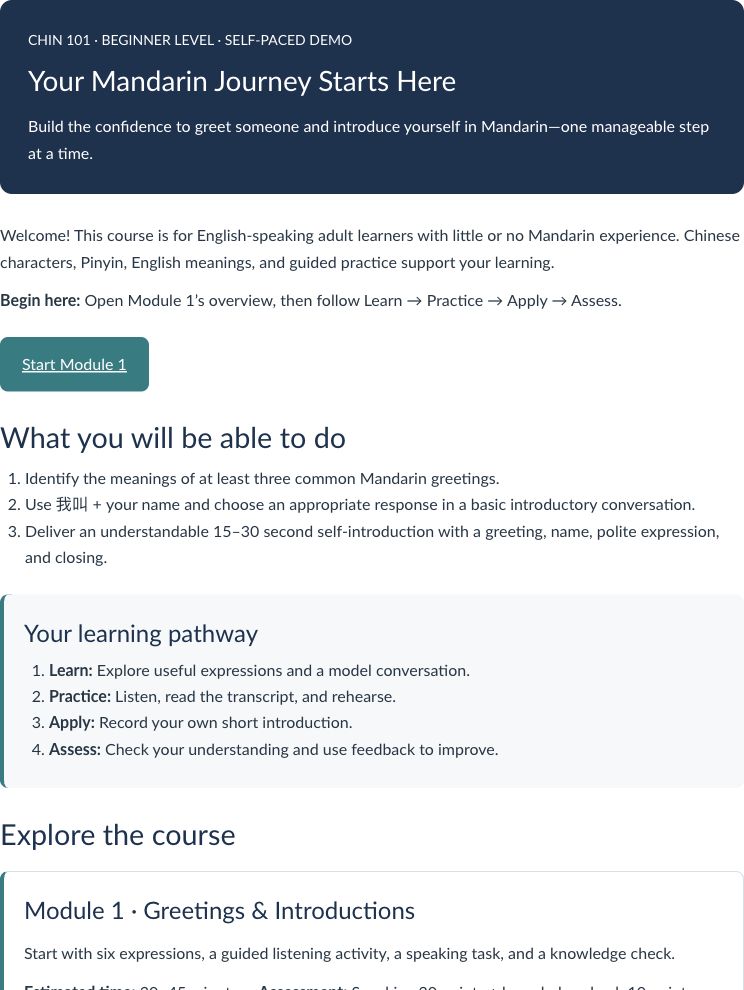
Learning outcomes, a module entry, and a Learn–Practice–Apply–Assess pathway orient the learner.
02 / Learning Experience
The sequence moves from vocabulary and listening to speaking practice and a knowledge check. Configured requirements connect three page views, a speaking submission, and a quiz score of at least 8/10.
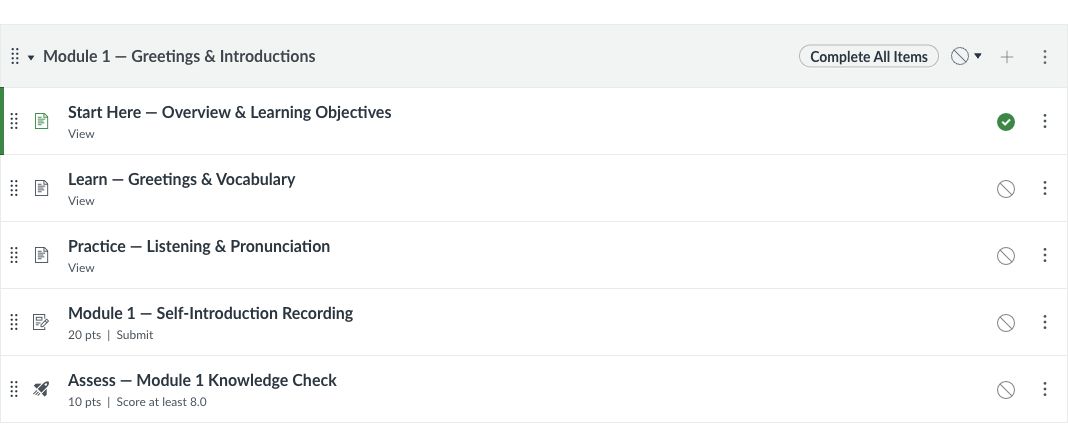
Instructor capture of the configured View, Submit, and 8/10 requirements, taken before publication.
03 / Design & Implementation
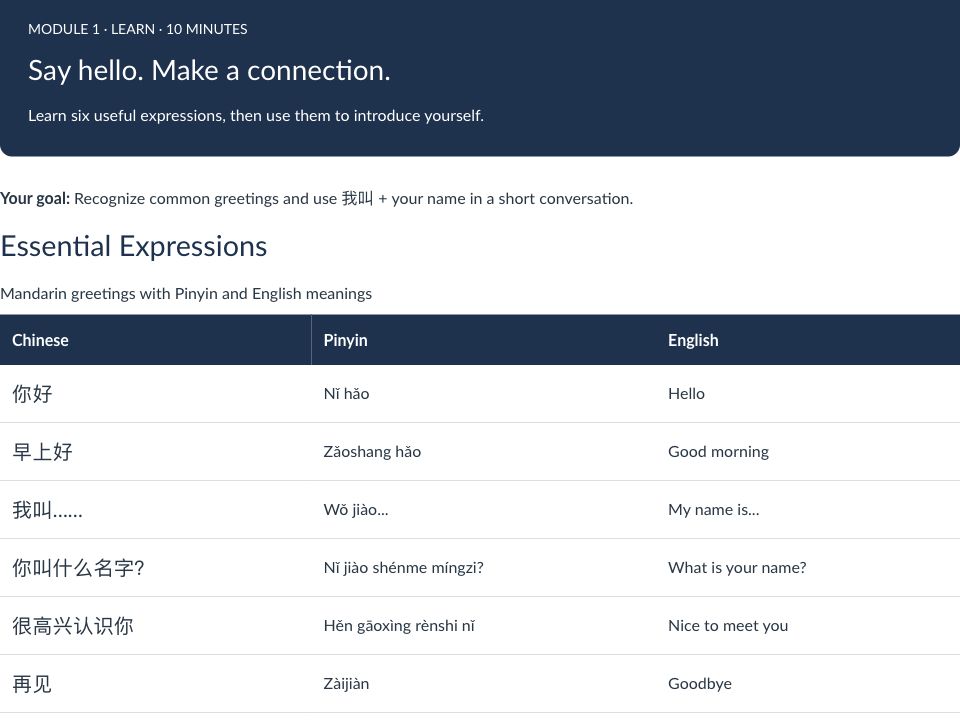
Six expressions pair Chinese, Pinyin, and English within a consistent HTML/CSS layout.
Cropped detail preview. The full capture is available below.
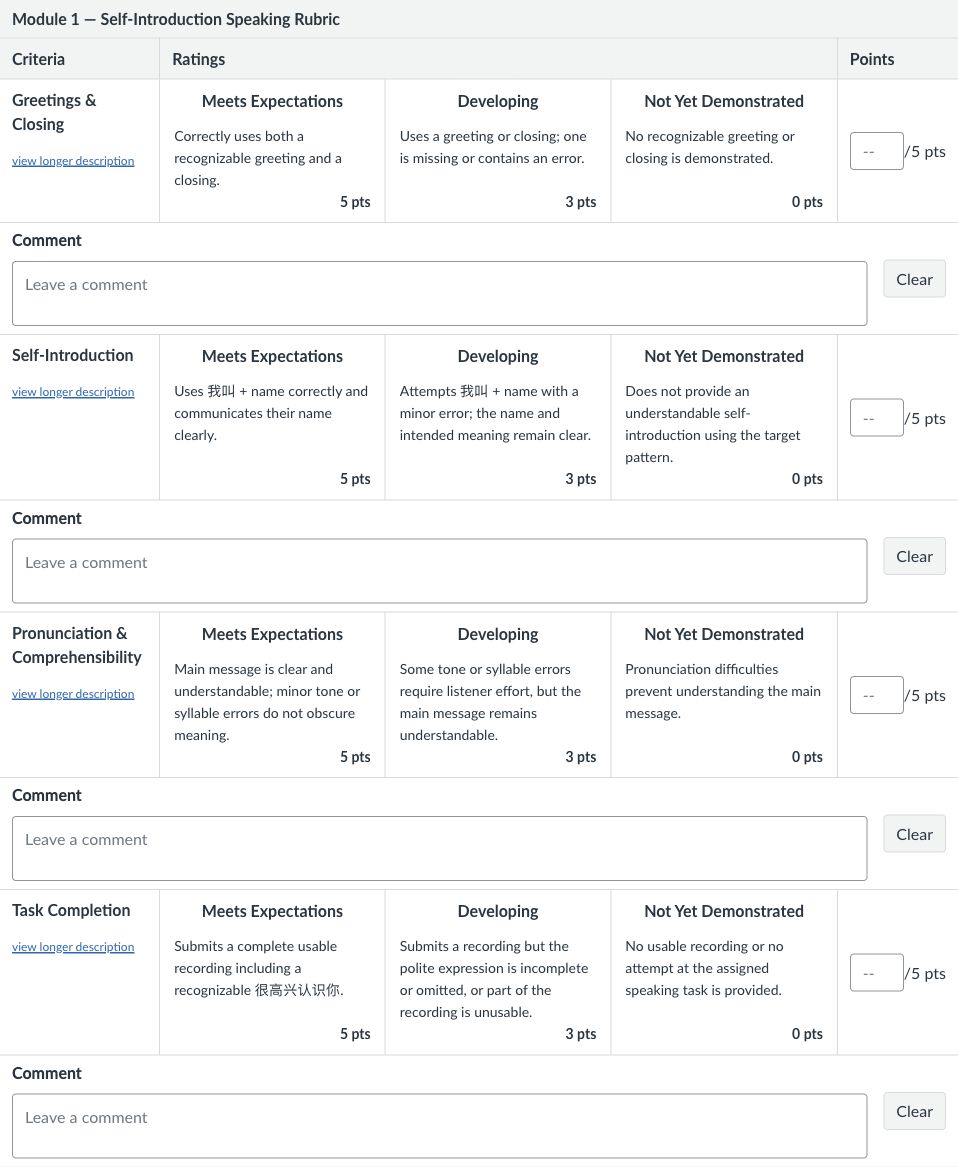
Unscored instructor preview: four five-point criteria define the 20-point self-introduction task.
Cropped detail preview. The full capture is available below.
Paired Chinese, Pinyin, and English in a semantic vocabulary table. Dialogue and self-check prompts connect recognition with a short spoken introduction.
Configured a 15–30 second speaking task with four five-point criteria, plus a five-question, 10-point New Quiz with explanatory feedback.
Original Canvas captures. Open full-size images for detail; Canvas sources may require sign-in.
04 / Accessibility & Quality Assurance
Used semantic headings, scoped table headers, and WCAG 2.2 AA-informed contrast and keyboard checks. Saved Mandarin lang="zh-Hans" markup in 29 quiz fields; screen-reader pronunciation remains to be validated.
<p>你好 (Nǐ hǎo) — Hello</p><p><span lang="zh-Hans">你好</span>
(Nǐ hǎo) — Hello</p>Illustrative remediation pattern, not a verbatim quiz extract. English and Pinyin remain outside the Mandarin span.
Conducted course-level quality assurance across navigation, assessment configuration, accessibility, and module progression. Documented configuration limitations and areas requiring further learner-view validation.
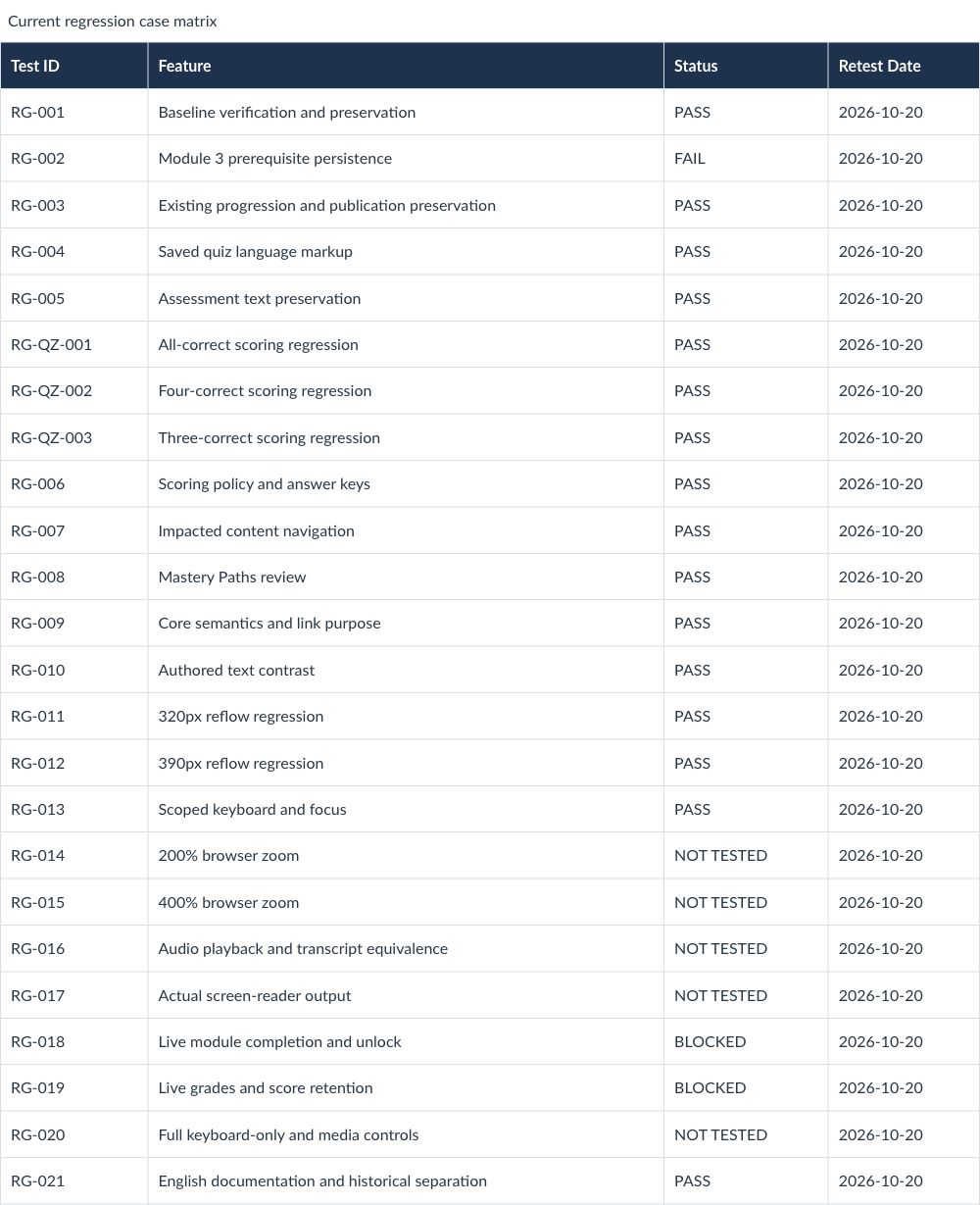
A dated test record documents course checks, configuration findings, and validation gaps.
Cropped detail preview. The full capture is available below.
05 / Reflection
This project connected instructional design with hands-on LMS development: clear guidance, practice, and assessment criteria need to work together. I learned to distinguish saved configuration from the learner experience, and to use accessibility and QA throughout development. Next steps are learner-view assessment validation and resolving the remaining prerequisite configuration issue.
← Back to selected work