Locate before describing
“Select A Station” begins with place. “Select An Issue” then names concrete barriers—“Narrow Turnstiles,” “Poor Signage” and “Broken Handrail”—before asking for additional detail.
UX & Content Design · Academic collaboration
Community Accessibility Mapping and Reporting
A collaborative mobile prototype for making campus accessibility barriers easier to understand, document and share.
Explore the Interactive Prototype (opens in a new tab)01 / Project Overview
We explored how Columbia students, staff and nearby residents could share street-level accessibility information. The final academic Figma prototype brings map-based reports, community contributions and language settings into one experience.
02 / Final Prototype
The final mobile prototype connects local reports, community observations and language choice. These original screens show the designed experience; they do not demonstrate a live service.
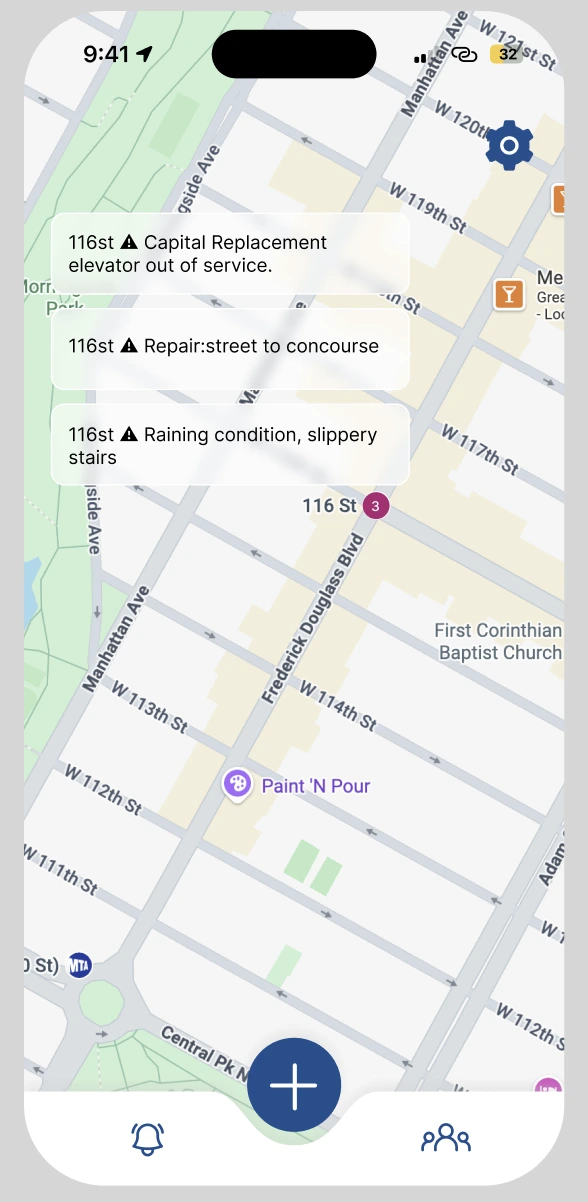
The final map combines a numeric report count with short barrier descriptions. Reports shown here are prototype content.
View full-size image ↗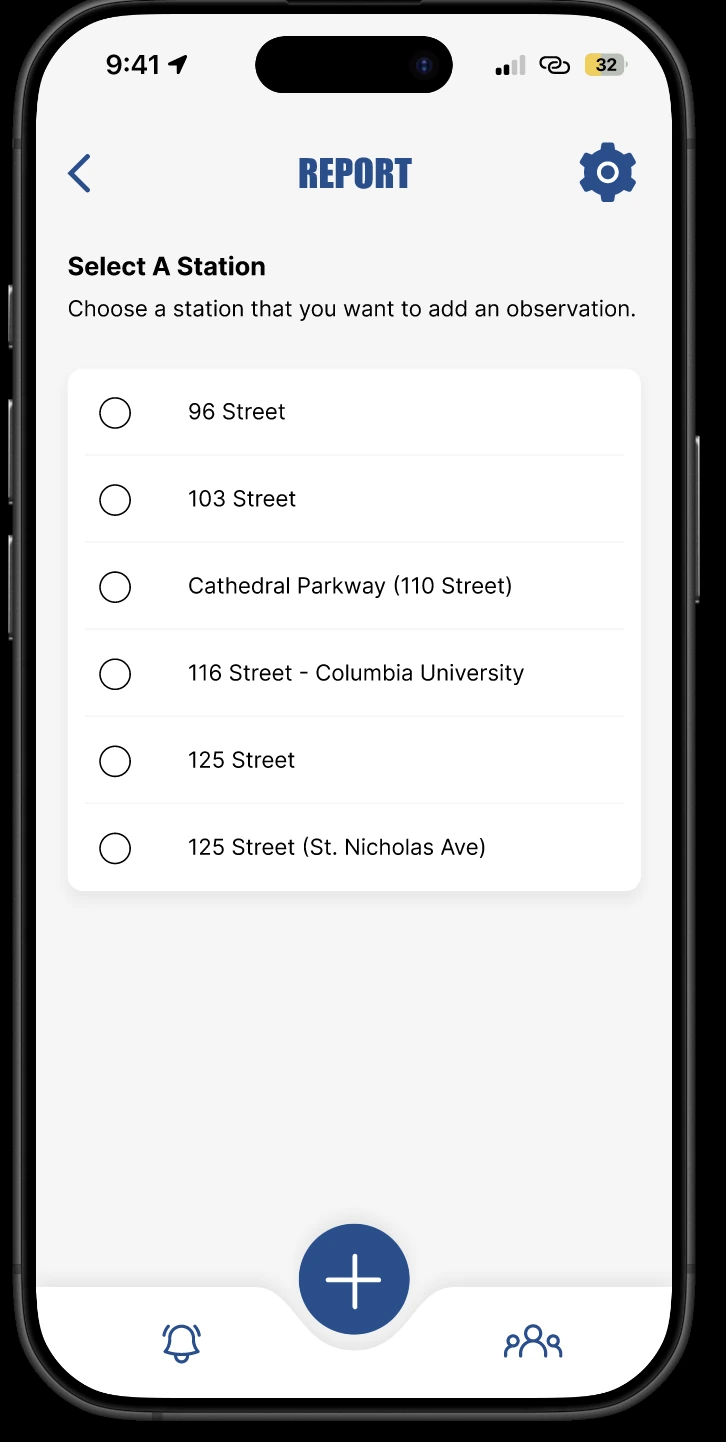
“Select A Station” establishes the location before an observation is added.
View full-size image ↗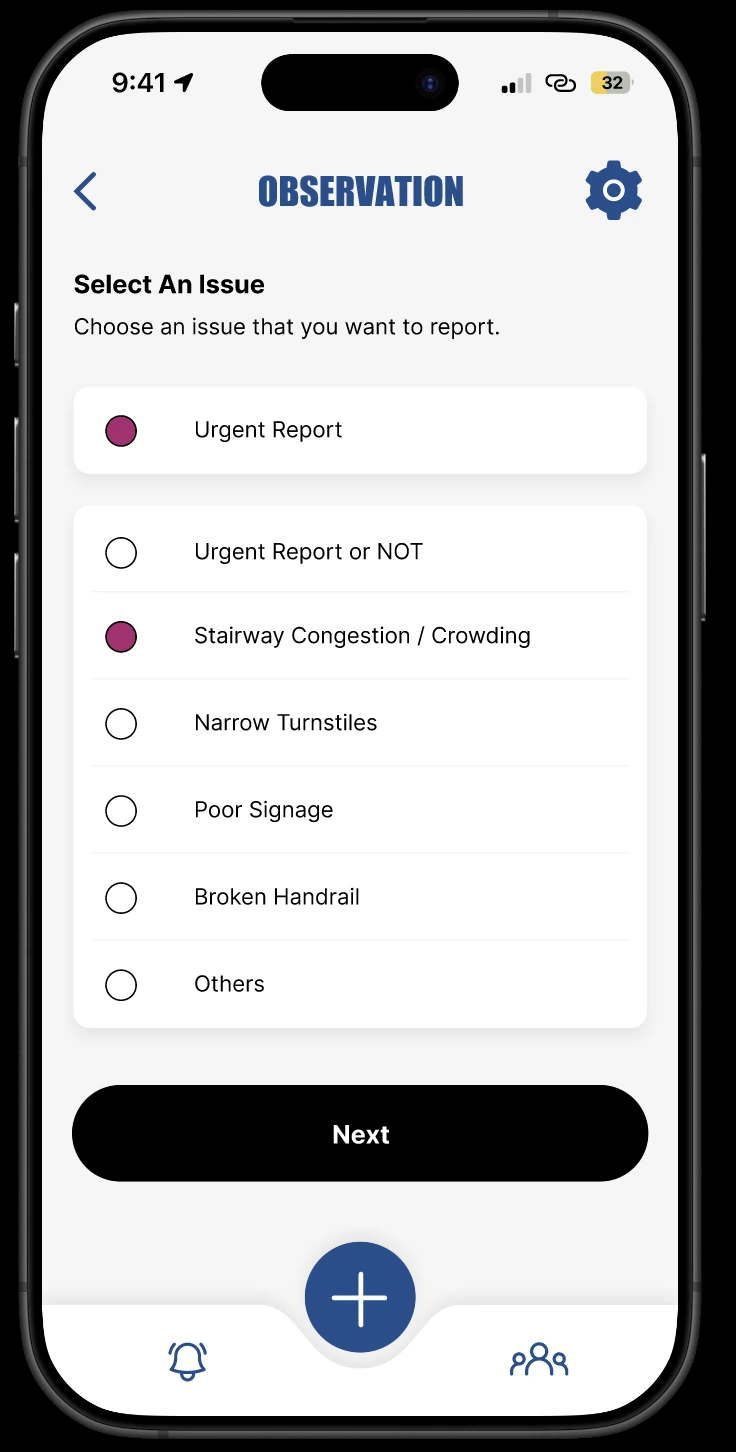
The prototype names physical barriers and offers urgency selection; “Next” advances the reporting sequence.
View full-size image ↗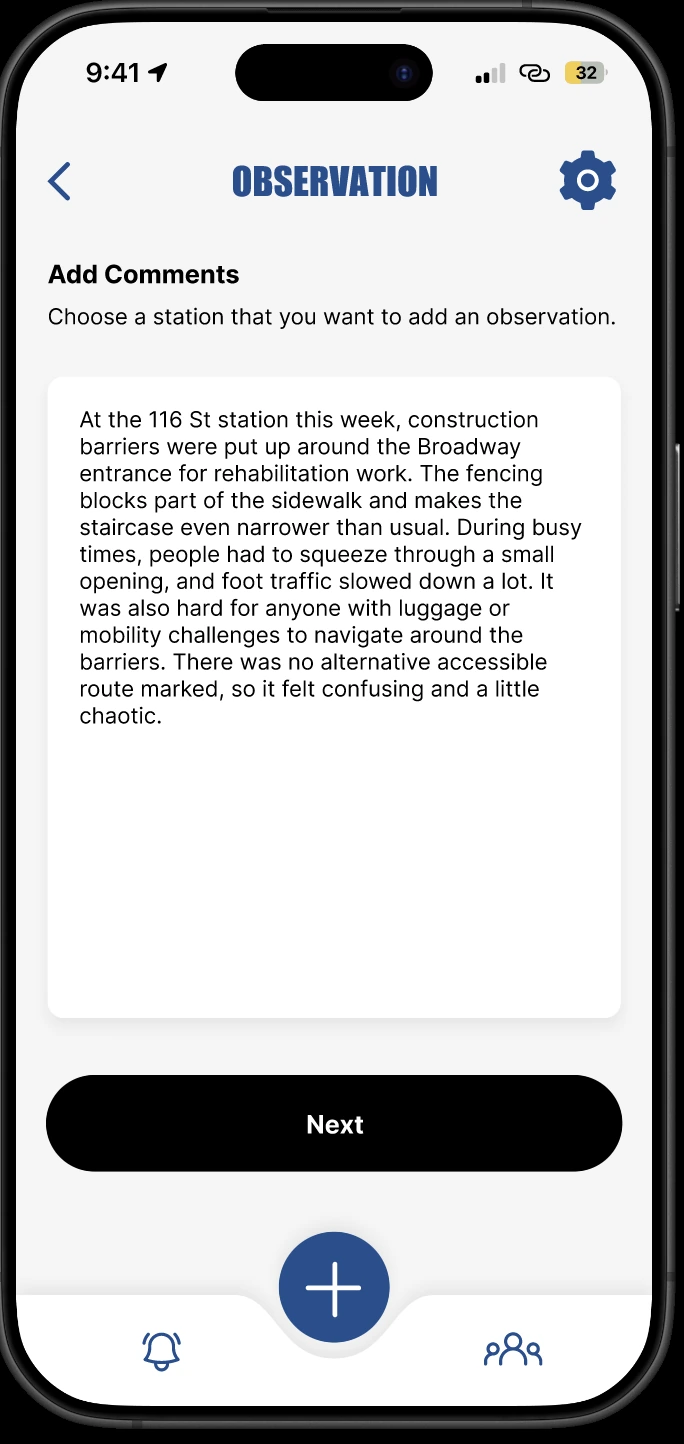
A sample observation explains the location, obstruction and mobility implications in the contributor’s own words.
View full-size image ↗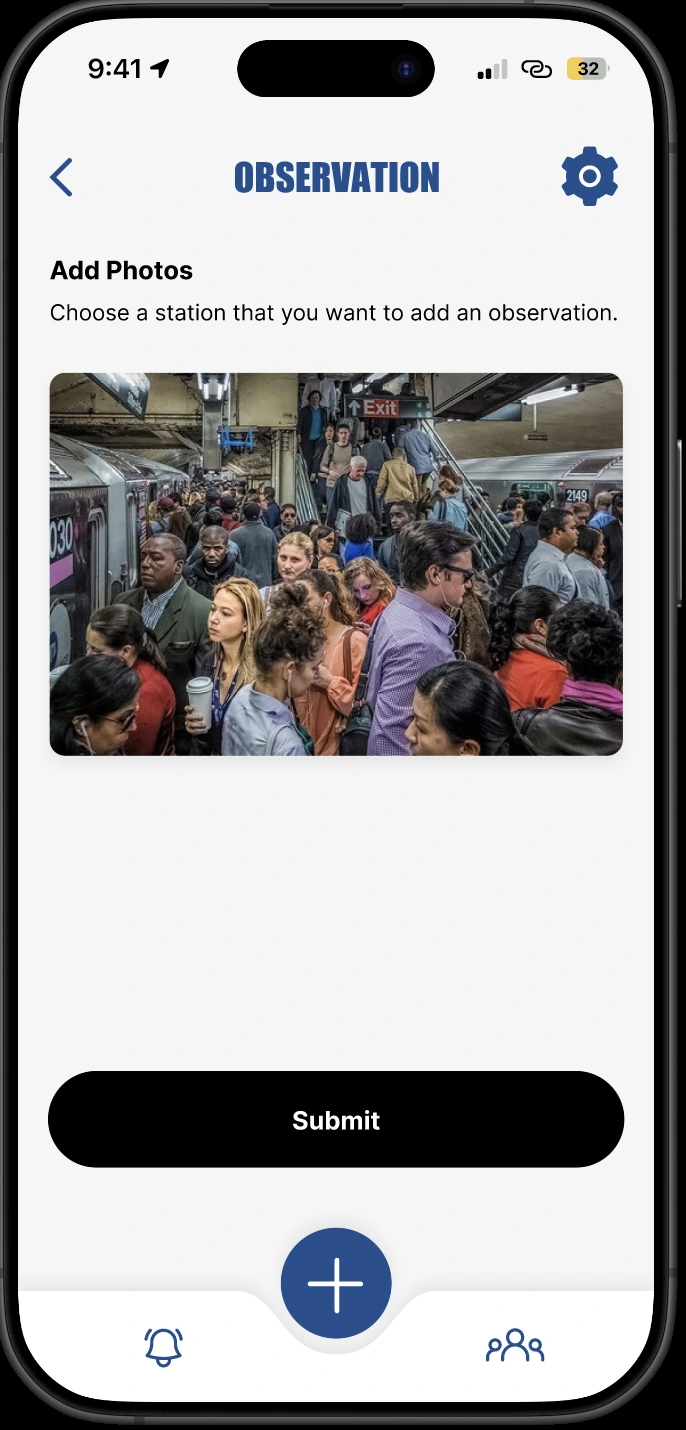
“Add Photos” supplies visual context before “Submit.” This is a prototype screen, not evidence of a working upload or reporting backend.
View full-size image ↗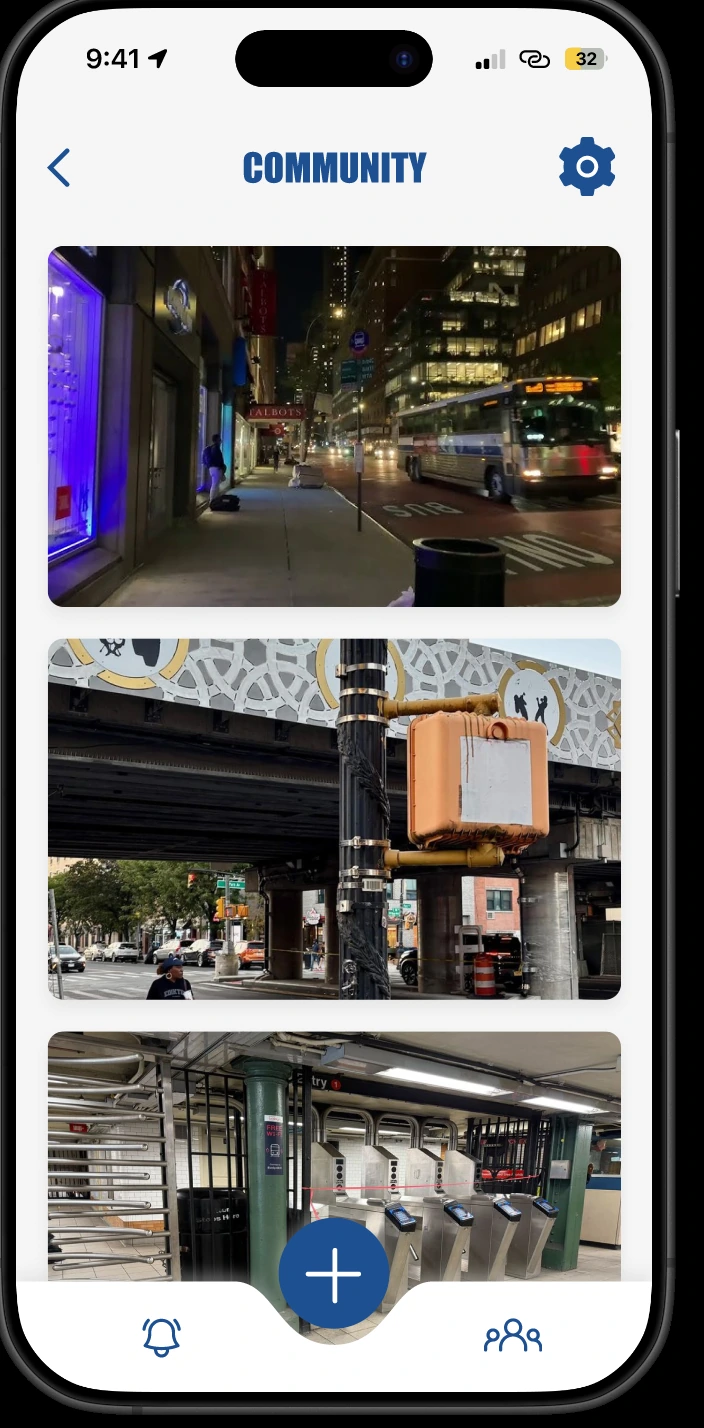
The final “Community” gallery extends attention beyond the map to shared street-level observations.
View full-size image ↗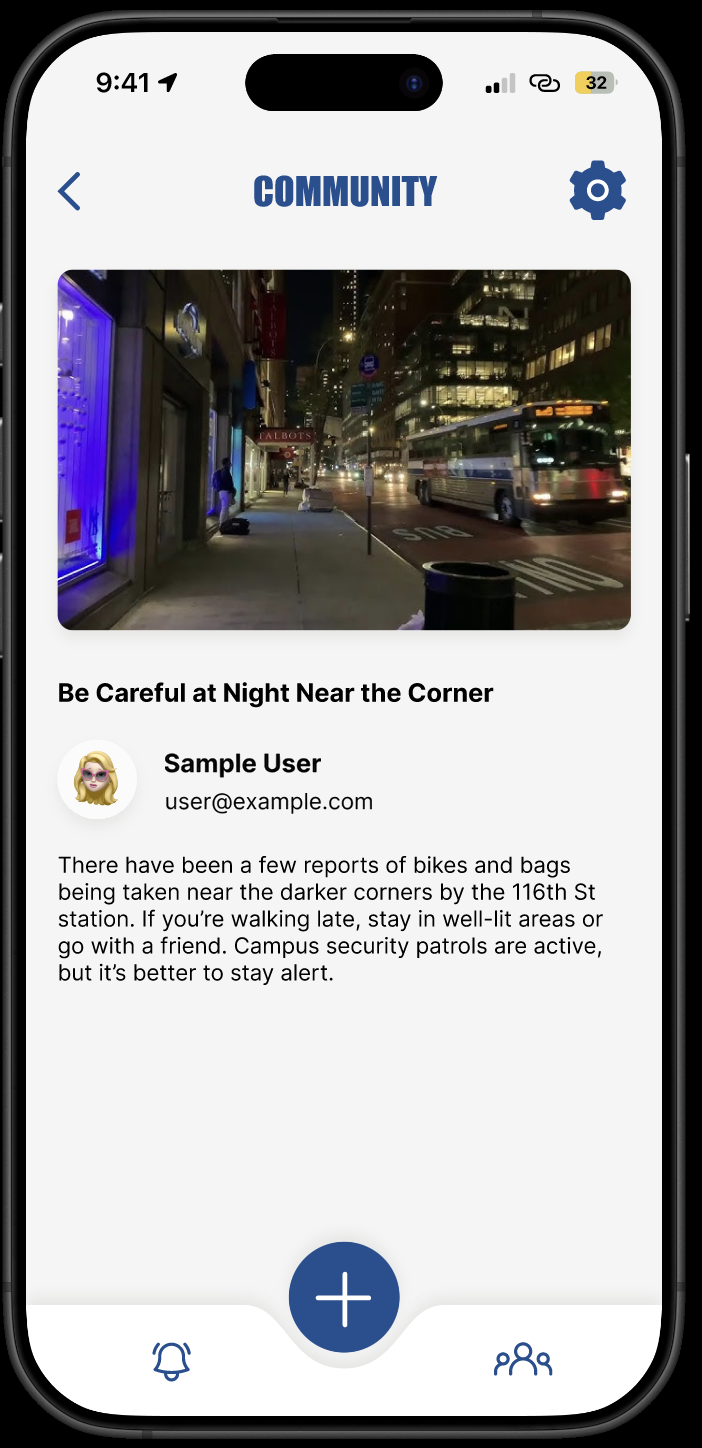
The post detail combines a specific headline, image and explanatory copy. Name and email have been anonymized; example safety claims are prototype content, not verified current conditions.
View full-size image ↗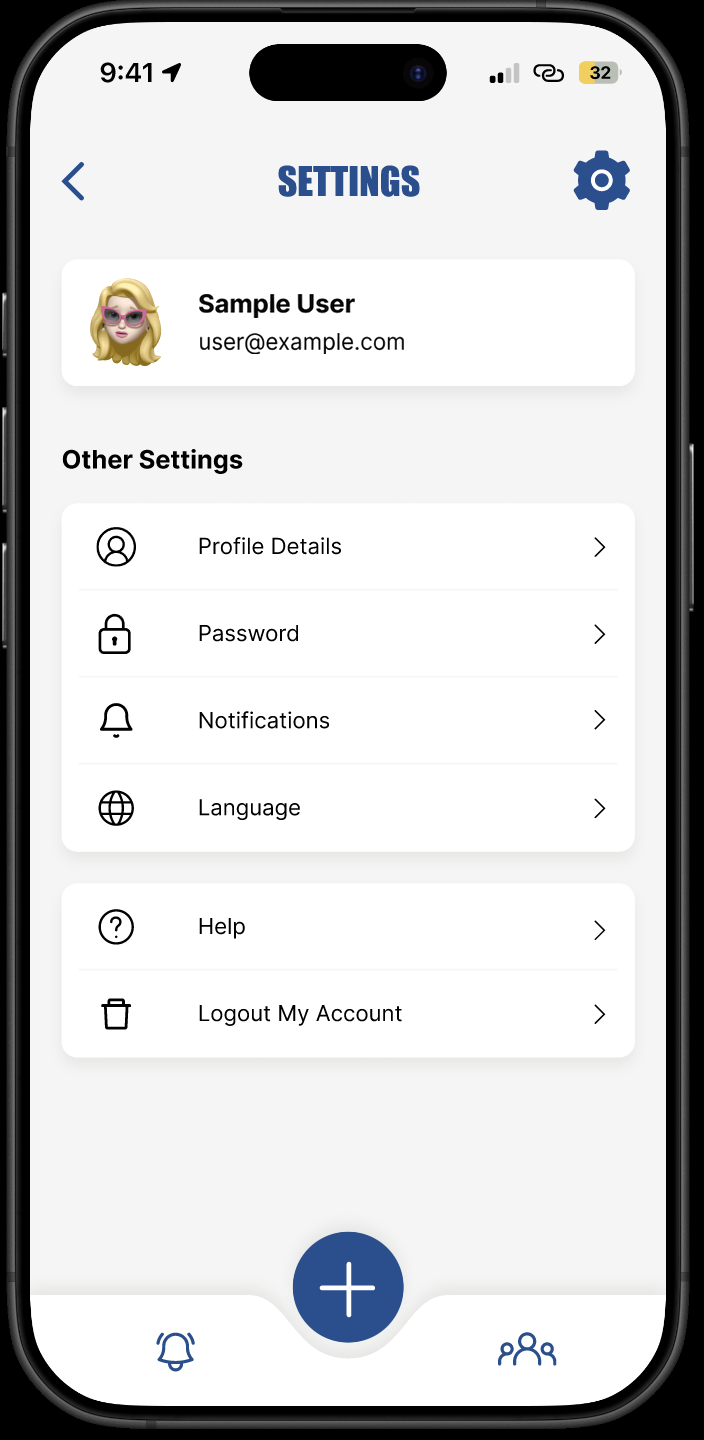
Settings groups account, notification and language choices. Only the displayed name and email were replaced for privacy; these screens do not establish a working account service.
View full-size image ↗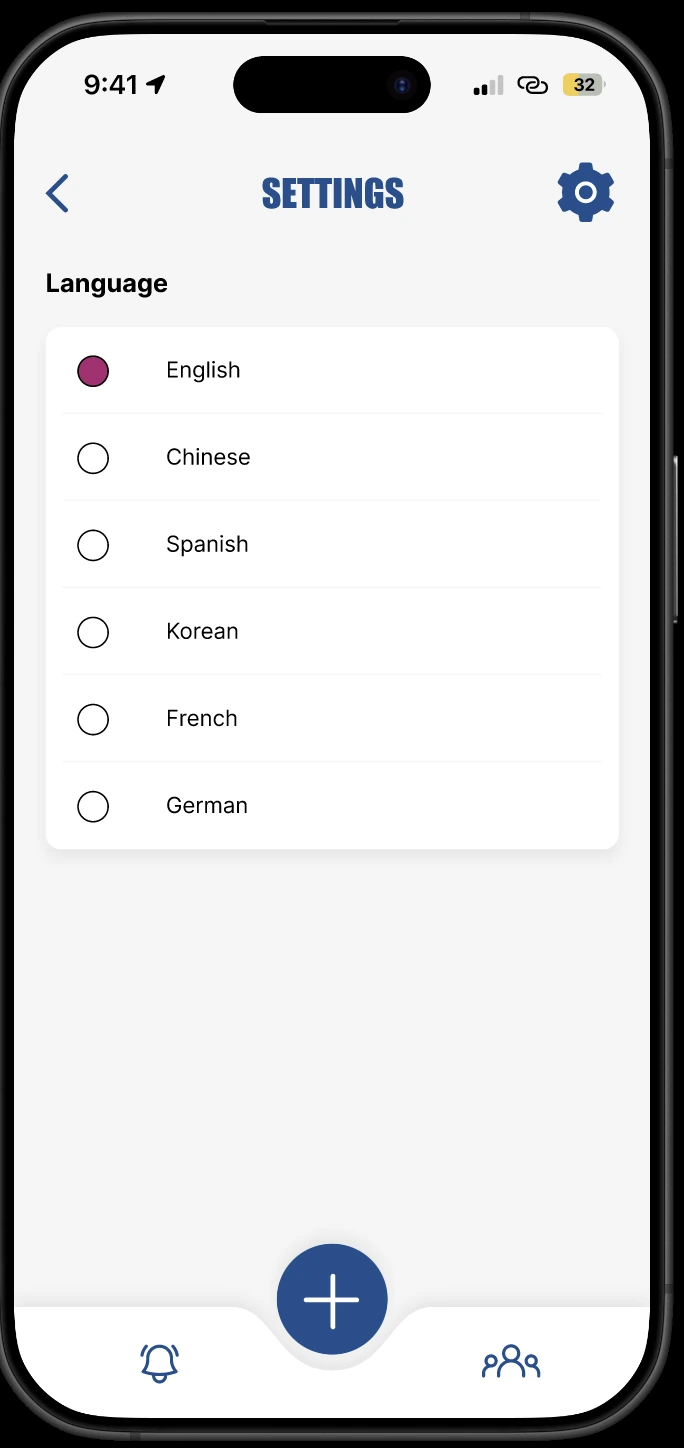
“Language” lists six options. A Chinese interface was created; completion and testing of all six translations were not established.
View full-size image ↗03 / Research & Scope
We began with a citywide subway accessibility and routing concept. Field observations revealed practical barriers such as stairs, crowding, construction and unclear wayfinding. We narrowed the scope to a Columbia-centered community map and reporting experience that could communicate local conditions more clearly.
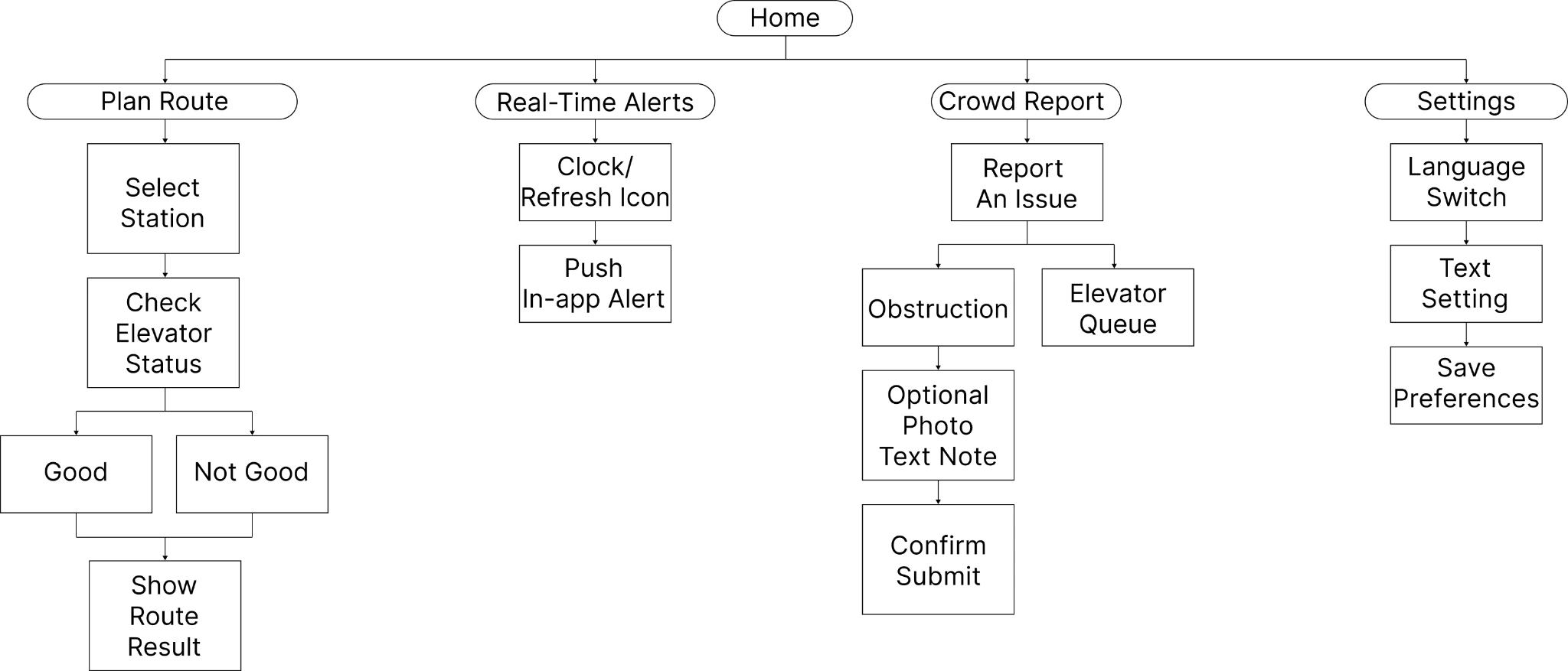
Early concept only: route planning and real-time alerts were proposed before the scope narrowed to Columbia-centered mapping and reporting.
View full-size image ↗Early action logs and pseudocode document research plans and design specifications. They are not evidence that every planned interview, integration or technical behavior was implemented.
04 / Design & Content Decisions
“Select A Station” begins with place. “Select An Issue” then names concrete barriers—“Narrow Turnstiles,” “Poor Signage” and “Broken Handrail”—before asking for additional detail.
“Add Comments” and “Add Photos” separate written context from visual evidence. “Next” moves between steps and “Submit” marks the end of the proposed reporting flow.
Numeric map counts summarize reports, while “Community” provides a visual entry into local observations. “Language” sits within Settings rather than interrupting the contribution flow.
05 / Testing & Refinement
Two Columbia students participated in think-aloud usability sessions at Butler Library and Lerner Hall. They understood the purpose and found the map markers; feedback highlighted the need for baseline accessibility information and clearer information presentation.
06 / Outcome & Reflection
The final deliverable is a Columbia-centered Figma prototype for community accessibility mapping and reporting. It demonstrates our approach to organizing uncertain, location-specific information rather than a live navigation or safety service.
We learned to narrow an ambitious concept around an actionable local need, and to treat interface labels, report summaries and visual hierarchy as part of the accessibility experience. Next steps would include broader participation by people with varied access needs and clearer methods for verifying community reports.
In retrospect, we would clarify the overlap between “Urgent Report” and “Urgent Report or NOT,” replace the repeated station-selection instruction under “Add Comments” and “Add Photos” with task-specific guidance, and explain community privacy before contributions are shared. These are recommendations for a future iteration, not changes already implemented.
The two-person usability study provides qualitative direction, not broad validation. Live MTA integration, a working backend, offline persistence and production route planning were not established; accessibility conformance and travel improvements were not measured.
Back to selected work ↗